

Asset Migration 101: Everything You Need To Know About Moving Your Files To A DAM
Honest teams are aware of when their assets are a mess. The images spread across shared drives, the old campaign folders that no one dares delete just in case, the five versions of the same logo… chaos becomes familiar, and familiar feels normal.
So when it is suggested that a a content migration to a proper DAM would be a smart move, although everyone agrees, the content migration process is pushed around from quarter to quarter, because the assets are a mess, yes, but somehow everything works, and we’re afraid of pulling at the wrong straw and having everything come crashing down.
This hesitation is understandable. Content migration sounds like a big deal, time-consuming and arduous, something that’s going to need IT sign-offs, dedicated resources and plenty of time with little else to do. The truth is asset migrations don’t really work like that. They’re much more straightforward and useful, in and of themselves, than most people expect.
In this guide we’re covering what actually happens in an asset migration, why the process itself is worth something, and how to get started, from wherever your files live today.
Why your current set-up is more costly than you realise
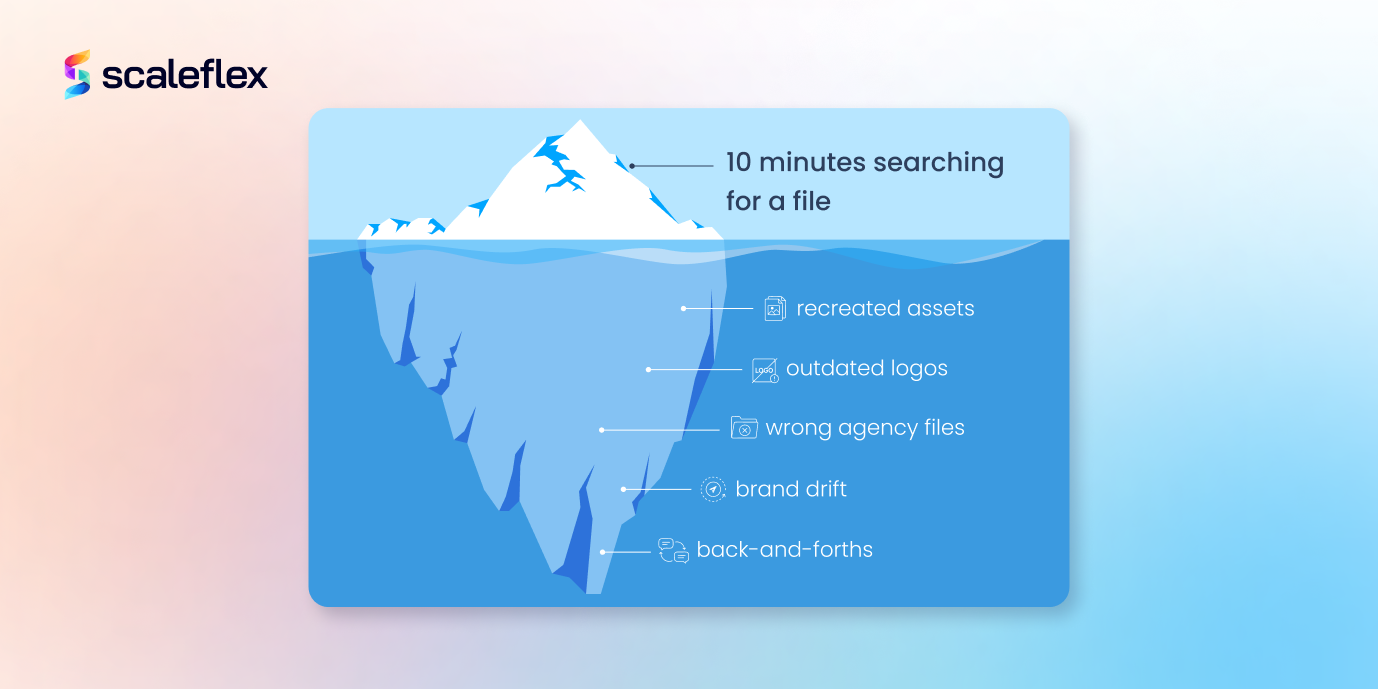
Think about the last time one of you spent ten minutes searching for an image you were sure you “had somewhere”. Now multiply that time by everyone in your team, every week. Asset management problems aren’t truly storage problems, they’re a productivity problem that compounds quietly.
If your assets live across SharePoint folders, personal drives, email thread’s plus someone’s Desktop, the cost will show up in unexpected ways: designers recreating visuals that already exist, because starting from scratch is less time-consuming than finding the original; campaigns that go out with outdated logos because nobody was sure of which was the last approved version; agencies that receive the wrong files, again, back-and-forths that eat away at work afternoons…
When you have no single source of truth for your assets, people start working from slightly different versions of the same assets, creating a visible drift overtime that erodes the coherence your brand has worked so hard to create. If on top of this you add teams that operate across markets or with external partners, then the problem scales fast. More people, more files, more versions, more risks.
It’s not a dramatic problem, it’s a small inconvenience that adds up, and since it happens gradually, we become used to it, and fail to recognise it as the cause of many of our issues. A DAM removes the conditions that were making the problems possible in the first place.
The real benefits of centralising assets in a DAM
Put in place a content migration plan, give your assets a real home, and a surprising number of daily frustrations will quite simply disappear.
Right away, your team’s time will change. Teams that centralise their assets consistently report cutting the hours they spend searching, requesting and re-sending files, by a lot. Searches that took minutes now take seconds, since everything is tagged, organised and searchable. The time then goes back into the actual work.
Your brand’s consistency will naturally improve. As every team, agency and market pulls assets from the same library, the “right one” will always be the one used. No more ambiguity, no “i think this is the latest version”. Just a file, correctly labelled, and ready to use every time.
Collaboration gets simpler too; approval workflows, comments and rights management all happen within the same system, meaning that fewer email chains and less time is spent chasing sign-offs. For the teams working across time zones or with external agencies, this in and of itself tends to justify the switch. Finally, there’s the non-negligible issue of scalability. A DAM grows with your team. You can add markets, launch new product lines or double your asset volume, the system will hold.
What actually happens during an asset migration?
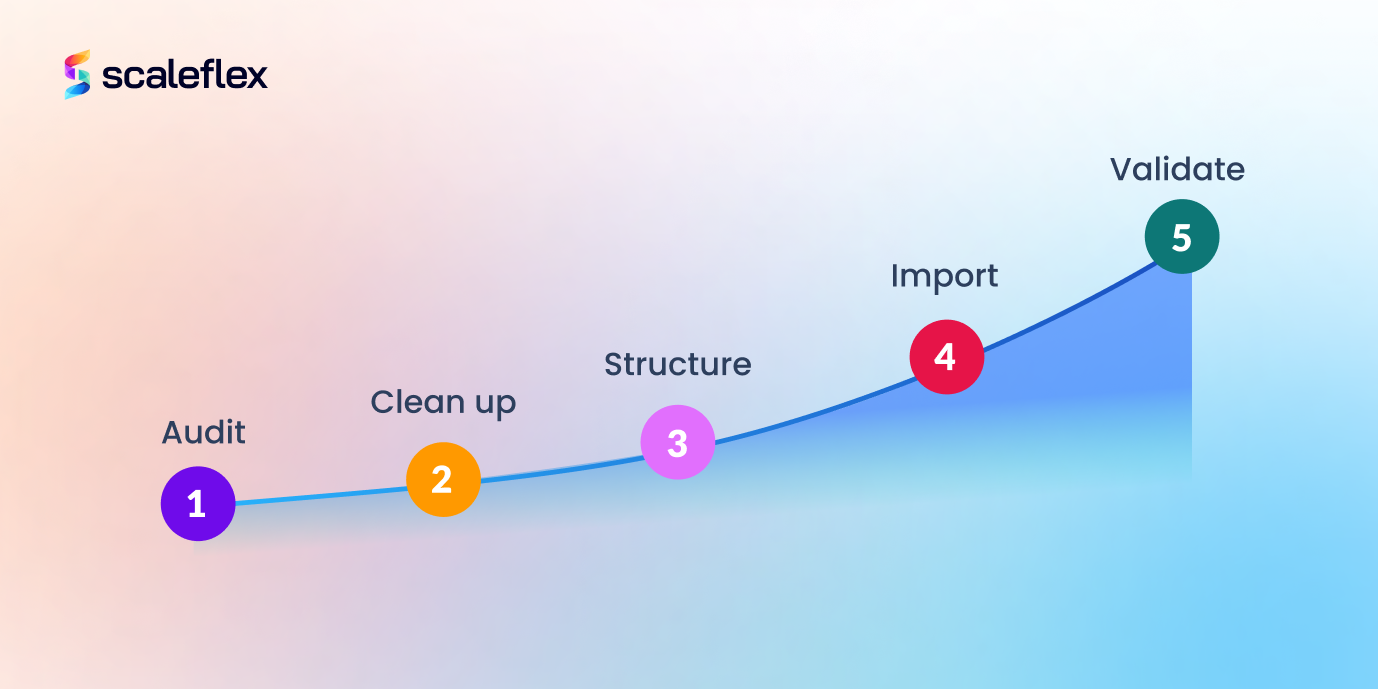
You might imagine a content migration plan as a single, overwhelming task, when in reality, it’s a series of clear steps, each following a specific purpose. Let’s break it down:
- The Audit: before doing anything, you take stock of what you have. Where are your assets currently? How many files do you have? This is the step that will often surface duplicates, outdated visuals and files that no one remembers making. It’s unglamorous and uncomfortable, but it will give you a clear picture of what you’re actually working with.
- The Clean up: not everything needs to make the journey to your DAM. The audit naturally leads to a purge: you delete duplicates, archive that which is genuinely old and flag anything with unclear ownership or expired rights. You’ll be surprised by how much you can let go of.
- The Structuring: before you start importing, you need to define how the assets will be organised in your DAM. The folder logic, the naming conventions, the metadata schema, the tags. It’s the step that will determine how your new system will work, so it’s worth taking seriously.
- The Import: this is the actual content migration. The files are moved from their current location into the DAM, mapped to the structure you have pre-defined. Depending on their volume, it can be done in batches. A good DAM will support bulk imports and maintain file integrity throughout.
- The Validation: the assets are in, you check that everything has landed correctly, the metadata is intact, the previews are rendering and nothing is missing.
Five simple steps, that’s all.
A moment of clarity, not just a chore
There is something worth pointing out about the content migration process in and of itself, independently of where it takes you.
A media migration is mostly seen as a necessary every, an uncomfortable firewall to get through before the good stuff starts. But if you approach it thoughtfully, you can come out the other side with much more than tidy files.
The audit will force a conversation that your team needed to have anyway. What do we actually use? What should we be tagging, and how? Who owns what? What goes where? Which assets reflect who we are today, and which ones belong to a campaign from three years ago?
These are strategic questions, and a content migration plan gives you a structured environment and a project within which to tackle them.
The migration phase is also a great chance to set up systems and habits that stick. Naming conventions, metadata frameworks, approval workflows… they aren’t exciting to design, but getting them right from the get-go means you won’t be unpacking bad habits six months down the line.
Think of it as the opportunity to start new, see what has and hasn’t worked in the past. You arrive at your DAM with only what you actually need, organised the way in which you actually work.
A practical step-by-step
Although every migration is slightly different, as it adapts to each team's needs, the underlying logic is always the same, regardless of where your assets live. We’re giving steps below that are intentionally practical. With no technical background required, you just need a clear starting point and willingness to make decisions along the way.
Migrating from Microsoft 365 and SharePoint
SharePoint is where many assets end up by accident more than by design. A certain folder structure made sense to someone, who built it on top of a structure that had made sense to someone else, who then gets expanded in a way that makes sense to someone new. Before you start migrating, take the time to understand what you actually have.
Map out your existing SharePoint structure to identify which libraries or folders contain assets that are worth keeping, and which should effectively be killed. Flag anything with unclear ownership or an expired usage right. These problems are easier to solve now than later.
Certain DAMs, like Scaleflex, will support direct integration with Microsoft 365, which means that you don’t necessarily need to manually download and reupload everything as assets can be pulled across programmatically. This preserves file names and key metadata.
Once it’s been imported, you can take the time to enrich the metadata that SharePoint failed to capture properly such as tags, usage rights or campaign attribution. Finally you’ll need to effectively communicate the changes to your team, as SharePoint habits tend to run deep. Onboarding sessions and clear directives can take you further than any technical setup.
Migrating from Google Drive
Although Google Drive has a lot going for it as a collaboration tool, as an asset management system it has real limits. Folder structures drift, sharing permissions get messy and there is no native way to manage usage rights nor version history or brand approvals at scale.
The good news is that migrating from Google Drive is typically one of the most straightforward transitions, since the files are accessible, downloadable in bulk and usually organised in a way that reflects at least some logic, even if it has evolved over time.
Begin with an audit of your folders. Google Drive has a tendency to accumulate personal folders alongside team ones, so the first task is going to be separating assets that belong to the business from those that belong to individuals. Anything in the latter category should be reviewed before being moved anywhere.
From that point, you can agree on your DAM’s folder and metadata structure and then start importing. You’ll be tempted to replicate your Drive structure directly, but this is the time to really be mindful of your needs and the systems that make the most sense.
A bulk export from Google Drive is pretty straightforward, be it via Google Takeout or through a direct download. Most DAMs handle large imports well, and some support batch uploads, with metadata mapping that helps make the process faster.
Once all your assets are in, archive or restrict some of the original Drive folder rather than immediately deleting it. You can give your team a transitional period, then make the DAM the default.
Migrating from local storage
Local storage migrations are typically the most varied, because no two setups look the same. Some teams will be working from a single shared external hard drive, while others will have assets spread across individual laptops, with no central copy of anything, and still a few have both.
In this case then, we modify the content migration strategy and add a previous step to the audit: consolidation. Before doing anything else, you should gather everything into a single place, even if just temporarily. A shared folder, a cloud staging area, anything that can give you a global view of what exists. This step alone can often surface duplicates and gaps that no one knew were there.
From here on, the process will mirror the others: audit, decide what is worth keeping, agree on a structure, and import. The difference with local storage is that metadata will be entirely absent. This means the enrichment step will carry more weight than for other migrations. Set aside time for tagging and categorising as you import, don’t plan to do it later, because later rarely comes.
One of the upsides of starting from local storage is that there are no legacy permissions or platform dependencies to unpick. You start over clean, meaning the structure that you build into your DAM is entirely yours to be defined from the beginning.
Common concerns and key takeaways
There are questions that come up consistently as soon as teams start to seriously consider a DAM migration, and we consider it interesting to address them plainly.
- Will there be lost files in the process? Not if the migration is handled in stages. The audit and clean steps exist precisely to provide full visibility before anything is moved. Nothing will be deleted until it is deliberately decided. Most teams will run their old storage in parallel for a while after migration, just as a safety precaution, before archiving it.
- How long does a migration actually take? This will depend on the volume of your assets and how organised your current setup is. Most mid-sized teams will complete a migration in a matter of weeks, and the steps that take longest are rarely technical, they’re often the decisions: what do we keep, how do we structure, who owns what. The clearer your team goes in, the faster everything moves.
- Will we need IT to be involved? For the import itself, possibly briefly, but for everything else, no. The audit, the structure decision and the metadata framework are marketing and content decisions. A good DAM is built for non technical users as well as technical ones, and the migration process reflects that.
Asset migration feels bigger than it actually is. The teams that have been through it face long overdue decisions and insightful clarifications. Don’t forget that your assets are the foundation of everything your brand puts into the world. You need to get them into a system that works for you and not the other way around.